 CANADA
 USA
USA
 AUSTRALIA
 UK
UK

Top 10 Accounting Automation Tools Every CPA Firm Should Use in 2026
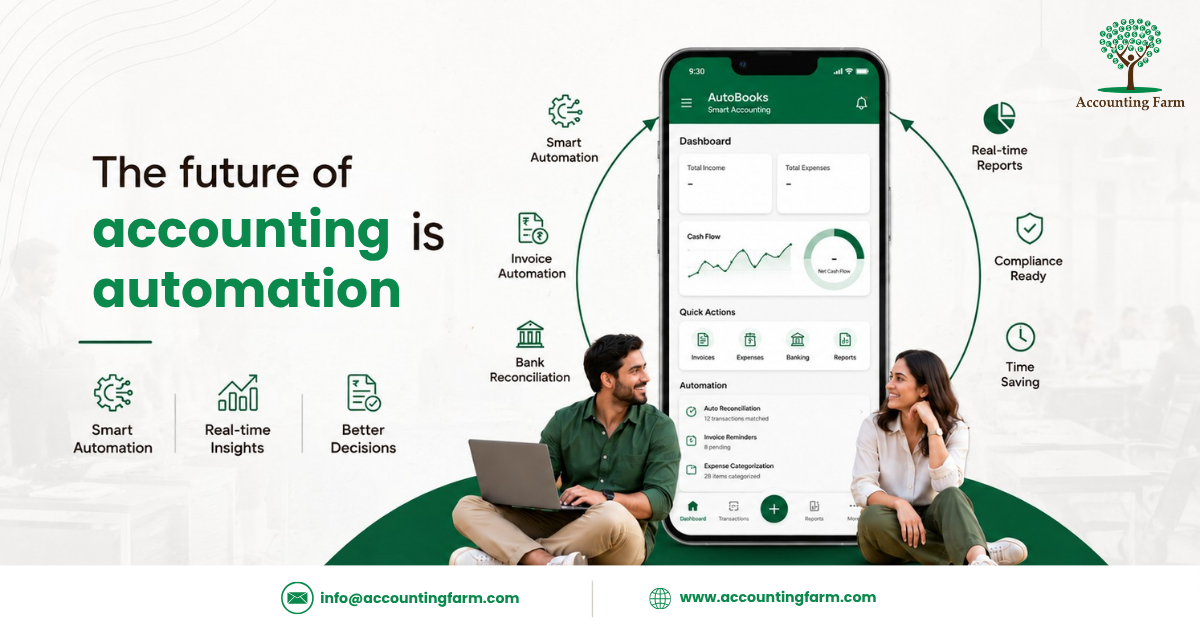
The Future of Accounting is Automation
The accounting industry has changed dramatically over the last few years. What once required hours of manual work can now be completed in minutes using intelligent automation software. From invoice processing and bank reconciliation to payroll and financial reporting, accounting automation tools are helping CPA firms work smarter, faster, and more accurately.
In 2026, automation is no longer just a competitive advantage it has become a necessity. Clients expect quicker responses, real-time financial insights, and error-free reporting. At the same time, accounting firms are dealing with increasing compliance requirements, staff shortages, and growing workloads. Automation bridges this gap by reducing repetitive tasks and allowing accountants to focus on strategic advisory services.
Rather than replacing accountants, automation enhances their capabilities. It eliminates routine work, minimizes manual errors, and creates more time for meaningful client interactions. Firms that adopt automation early are better positioned to improve efficiency, reduce operational costs, and scale without significantly increasing staff.
Whether you’re a CPA firm, bookkeeping agency, or finance team, investing in the right accounting automation tools can transform the way you work. Below are ten of the best solutions every accounting professional should consider in 2026.
Why Accounting Automation Matters More Than Ever
Accounting professionals spend a large portion of their day performing repetitive tasks such as:
- Entering invoices
- Matching bank transactions
- Processing receipts
- Managing payroll
- Creating reports
Following up on unpaid invoices
While these tasks are essential, they consume valuable time that could be spent advising clients or growing the business.
Accounting automation software helps firms:
- Reduce manual data entry by up to 80%
- Improve financial accuracy
- Accelerate month-end closing
- Increase productivity
- Enhance client satisfaction
- Strengthen compliance
- Support business growth
The result is a more efficient accounting practice with fewer errors and happier clients.
1. QuickBooks Online Advanced
QuickBooks Online Advanced continues to be one of the most trusted accounting platforms for growing businesses and CPA firms. Its powerful automation features simplify bookkeeping while providing real-time financial visibility.
Key Features
- Automatic bank reconciliation
- Smart transaction categorization
- Recurring invoices
- Expense tracking
- Workflow approvals
- Custom financial reports
- Multi-user collaboration
Why CPA Firms Choose It
QuickBooks integrates with hundreds of business applications, making it easy to automate accounting workflows without changing existing processes. It is particularly valuable for firms managing multiple clients across different industries.
2. Xero
Xero has become one of the most popular cloud accounting platforms because of its clean interface and powerful automation capabilities. It allows accountants to collaborate with clients in real time while automating everyday financial tasks.
Key Features
- Live bank feeds
- AI-powered bank reconciliation
- Automated invoicing
- Payroll integration
- Inventory management
- Multi-currency accounting
- Mobile accessibility
Why It Stands Out
Xero’s extensive app ecosystem allows firms to build customized workflows that improve productivity while reducing manual work.
3. Dext
Formerly known as Receipt Bank, Dext specializes in automating expense management and document collection.
Instead of manually entering receipts and invoices, users simply upload documents through their smartphone, email, or desktop application. The software extracts data using OCR technology and sends it directly to accounting platforms.
Key Features
- Automatic receipt scanning
- OCR document recognition
- Supplier management
- Expense categorization
- Invoice processing
- Secure cloud storage
Best For
Bookkeeping firms that process thousands of receipts every month.
4. Karbon
Karbon is built specifically for accounting and bookkeeping firms. Unlike traditional accounting software, Karbon focuses on workflow management, communication, and team collaboration.
Key Features
- Workflow automation
- Client communication
- Email integration
- Team scheduling
- Capacity planning
- Task templates
- Internal collaboration
Why Firms Love Karbon
Managing multiple clients becomes much easier because every project, conversation, and deadline stays organized within a single platform.
5. Hubdoc
Hubdoc automates financial document collection by retrieving bills, receipts, and statements from multiple sources.
Instead of asking clients to email documents every month, Hubdoc collects them automatically and synchronizes them with accounting software.
Key Features
- Receipt capture
- Bill collection
- Automatic document retrieval
- Cloud storage
- Data extraction
- Integration with Xero and QuickBooks
- Business Benefits
This significantly reduces bookkeeping time while improving document accuracy and organization.
6. Botkeeper
Botkeeper is an AI-powered bookkeeping platform designed to automate routine accounting tasks while providing accountants with real-time financial insights. Unlike traditional bookkeeping software, Botkeeper combines artificial intelligence with human expertise, making it an excellent solution for CPA firms that want to scale their operations without compromising quality.
Instead of spending hours categorizing transactions or reconciling accounts, firms can automate these repetitive processes and dedicate more time to client advisory services.
Key Features
- AI-powered bookkeeping
- Automatic transaction categorization
- Real-time financial dashboards
- Month-end reconciliation
- Secure cloud infrastructure
- Custom financial reporting
Best For
Small to mid-sized CPA firms looking to expand their client base while maintaining operational efficiency.
7. Sage Intacct
Sage Intacct is a cloud-based financial management platform widely used by medium and large businesses. It offers advanced automation capabilities that help firms manage complex accounting operations with greater accuracy.
From multi-entity accounting to automated financial consolidations, Sage Intacct reduces manual effort while providing detailed financial insights.
Key Features
- General ledger automation
- Accounts payable automation
- Revenue recognition
- Financial consolidation
- Multi-entity management
- Advanced reporting
Why Choose Sage Intacct
It is ideal for accounting firms handling clients with complex financial structures or multiple business entities.
8. FloQast
FloQast focuses on one of the most time-consuming accounting activities the financial close process. By automating close management, reconciliation tracking, and reporting, it helps accounting teams reduce month-end stress.
Key Features
- Close management automation
- Balance sheet reconciliation
- Task tracking
- Audit readiness
- Team collaboration
- Workflow visibility
Best For
CPA firms and finance departments that want faster and more organized financial closing processes.
9. BILL (Formerly Bill.com)
Managing invoices, approvals, and vendor payments manually can slow down business operations. BILL automates accounts payable and accounts receivable processes, allowing firms to manage cash flow more efficiently.
Key Features
- Automated invoice approvals
- Digital payment processing
- Vendor management
- Recurring payments
- Cash flow monitoring
- Secure payment workflows
Why Firms Use BILL
It reduces paperwork, accelerates payment cycles, and minimizes manual errors in financial transactions.
10. Zapier
Although Zapier is not traditional accounting software, it is one of the most powerful workflow automation platforms available today. It connects thousands of business applications, enabling CPA firms to automate repetitive administrative tasks without writing code.
For example, when a client submits a form, Zapier can automatically create a task, send an email, generate a notification, and update a CRM simultaneously.
Key Features
- No-code workflow automation
- Integration with over 7,000 applications
- Automated notifications
- CRM integration
- File management automation
- Custom workflow creation
Best For
Accounting firms using multiple software solutions that need seamless integration.
Comparison Table
|
Tool |
Best For |
Key Strength |
|
QuickBooks Online Advanced |
Growing Businesses |
Complete Cloud Accounting |
|
Xero |
SMEs |
Bank Reconciliation & Collaboration |
|
Dext |
Bookkeeping Firms |
Receipt Automation |
|
Karbon |
CPA Firms |
Workflow Management |
|
Hubdoc |
Document Collection |
Invoice Automation |
|
Botkeeper |
AI Bookkeeping |
Intelligent Automation |
|
Sage Intacct |
Large Businesses |
Financial Management |
|
FloQast |
Finance Teams |
Month-End Close |
|
BILL |
Accounts Payable |
Invoice & Payment Automation |
|
Zapier |
Workflow Integration |
Process Automation |
How to Choose the Right Accounting Automation Tool
Every accounting firm has different operational needs. Before investing in automation software, consider the following factors:
Business Size
Small firms may benefit from user-friendly solutions like QuickBooks or Xero, while larger firms often require enterprise-grade platforms like Sage Intacct.
Integration Capabilities
Choose software that integrates smoothly with your existing accounting systems, CRM, payroll software, and document management tools.
Scalability
As your client base grows, your accounting software should grow with you. Look for platforms that support multiple users, advanced reporting, and additional integrations.
Security
Financial data is highly sensitive. Select software with bank-level encryption, role-based access controls, and compliance certifications.
Customer Support
Reliable technical support and onboarding assistance can significantly improve implementation success.
Common Mistakes CPA Firms Make
Many firms invest in automation but fail to achieve the expected results because they overlook proper implementation.
Avoid these common mistakes:
- Choosing software based only on price.
- Ignoring staff training.
- Automating inefficient processes instead of improving them first.
- Failing to integrate software properly.
- Not reviewing automation workflows regularly.
- Overlooking data security and compliance.
Automation works best when combined with clear processes and continuous optimization.
The Future of Accounting Automation
Artificial intelligence, machine learning, and predictive analytics are reshaping the accounting profession. Over the next few years, automation tools will become even more intelligent, helping firms identify financial risks, forecast cash flow, detect anomalies, and generate strategic insights automatically.
Rather than replacing accountants, these technologies will enhance their ability to provide high-value advisory services. Firms that embrace automation today will be better prepared to meet future client expectations and remain competitive in an increasingly digital business environment.
Frequently Asked Questions
1.What is accounting automation?
Accounting automation uses software and artificial intelligence to perform repetitive financial tasks such as bookkeeping, invoicing, bank reconciliation, payroll processing, and financial reporting.
2. Which accounting automation tool is best for CPA firms?
The best choice depends on your firm’s size and requirements. QuickBooks Online Advanced, Xero, Karbon, Dext, and Sage Intacct are among the most popular options in 2026.
3.Can automation replace accountants?
No. Automation handles repetitive tasks, while accountants continue to provide financial expertise, strategic advice, tax planning, compliance, and client consulting.
4.Is accounting automation secure?
Most leading accounting platforms use enterprise-grade encryption, secure cloud infrastructure, and multi-factor authentication to protect sensitive financial information.
5.How can small accounting firms benefit from automation?
Automation helps small firms reduce manual work, improve accuracy, save time, increase profitability, and manage more clients without hiring additional staff.
Final Thoughts
Accounting automation is no longer just a productivity upgrade—it has become a strategic investment for firms that want to grow in 2026 and beyond. By reducing repetitive work, improving accuracy, and enabling real-time financial insights, automation empowers accountants to focus on what truly matters: delivering exceptional value to clients.
Whether you’re running a boutique CPA practice or managing a large accounting firm, adopting the right automation tools can improve operational efficiency, enhance client satisfaction, and create a scalable foundation for long-term success.
The key is to evaluate your firm’s needs, choose software that integrates with your existing workflows, and continuously optimize your processes as technology evolves.
Ready to Modernize Your Accounting Practice?
At Accounting Farm, we help businesses and CPA firms leverage modern accounting technologies, streamline bookkeeping processes, and improve financial efficiency through expert outsourced accounting solutions.
Whether you need bookkeeping support, payroll management, financial reporting, or cloud accounting expertise, our experienced team is here to help your business grow with confidence.
👉 Contact Accounting Farm today to discover how automation and outsourced accounting can transform your finance operations.